

- Tech buyers research before they buy. In YouGov's survey, 55 percent of people in Britain said they read written consumer reviews before buying a phone, while 23 percent used video reviews by members of the public.
- That gap is the opportunity: creator video wins when it answers the practical questions written reviews answer, set up, compatibility, the features that matter and daily use, and does it faster and more believably.
- Every demonstration must show what the product really does. The ASA has ruled against footage that made a device look more capable than it was, and comparisons with competitors have their own rules.
- Connected devices sold in the UK must meet security rules in force since 29 April 2024, and the total price must be clear from the start, so a video should never imply more than the product and the offer deliver.
- Our team films tech UGC in house in High Wycombe, from the box to daily use, from £165 a video.
The short answer: what UGC does for a tech brand
UGC for tech brands is creator style video that shows a real person unboxing, setting up and using a device, gadget, accessory or piece of home electronics, made for the brand to use on its own channels, on its product pages and in paid adverts. It answers the question a spec sheet cannot: what is this actually like to own?
That is a different job from most UGC. In fashion or beauty, creator video mainly builds desire and trust. In tech it also has to inform. A buyer comparing two pairs of earbuds, two robot vacuums or two smart doorbells already knows roughly what they do. What they want to see is the practical reality: how long set up takes, whether the app is any good, how the device fits in a real room or a real bag, and whether the feature on the box works the way the box suggests.
Creator video is very good at that, because it is shot in the kind of place the buyer will use the product, at the kind of pace they will use it, by someone who talks like them. A polished brand film shows the product at its most beautiful. A good tech UGC video shows it at its most useful, and for a considered purchase useful usually wins.
This guide is about making that kind of video: how tech buyers decide, the five questions every tech video should answer, how the video changes through the buying journey, the craft of filming screens and small detail, the UK rules on demonstrations, comparisons and price, how to brief it, what it costs and how to measure it. If you want to see the formats and order a package, the tech and electronics packages page sets them out. This article is the practical side.
How tech buyers decide
Tech purchases are researched. They cost more than most everyday items, they last for years, and getting it wrong means a return, a support call or living with something that annoys you. So buyers look for proof from people who have already bought.
YouGov's survey of 17 markets, fielded in February 2023, asked how people research before buying a phone. In Britain, 55 percent said they read written consumer reviews, 52 percent asked friends and family, 42 percent used the brand's website and 28 percent turned to professional experts, while 23 percent used video reviews made by members of the public (YouGov, how consumers research before buying a phone). A later YouGov study, fielded in October 2023, found 40 percent of Britons use online reviews when it comes to electronics, and across its 17 markets electronics was among the categories where people leaned on reviews most (YouGov, online reviews by category).
Read those numbers as a map rather than a verdict on video. British tech buyers lean on other people's experience: reviews, friends, family. Video made by ordinary users is used less than written reviews, which suggests that a lot of creator video in tech is not yet answering the questions buyers bring to reviews. The brands that do answer them, in the plain, specific way a good written review does, stand out.
The audience is certainly there. DataReportal's Digital 2026 report for the UK puts YouTube's audience at 55.5 million users in late 2025, and TikTok's adverts reached 48.4 percent of UK adults (DataReportal, Digital 2026: the United Kingdom). Those are advertising reach figures rather than active users, but they show that the places tech video lives reach most of the country.
There is also a preference for learning by video when it is done well. In Wyzowl's 2026 survey, 63 percent of respondents said they would most like to learn about a product by watching a short video (Wyzowl, video marketing statistics 2026). The sample was small, 266 people, so treat it as direction rather than a precise figure. The direction is consistent with what tech brands see: a clear, short demonstration is often the fastest way to explain a product.
Five questions every tech video should answer
Look at the most helpful written reviews of almost any device and the same questions come up. A tech UGC video that answers even two of them clearly is more useful than one that lists every feature.
- What is in the box, and how long does set up take?The first experience of a device is the box, the cables, the app download and the pairing. A buyer wants to know whether that takes two minutes or an evening. Showing it honestly, at real speed, removes one of the biggest worries about buying tech online.
- Will it work with what I already have?Phones, operating systems, smart home platforms, chargers, cars, televisions. Compatibility is one of the commonest worries about buying tech online, and it is easy to show: the device working with a named phone or speaker, in a real home.
- Does the feature I care about work as described?Most buyers choose a device for one or two features: noise cancelling, battery life, suction, picture quality, a particular app. A video that shows that feature in a realistic situation does more than one that rushes through ten.
- What is it like after a week?Daily use reveals what unboxing cannot: whether the app is pleasant, whether the device gets in the way, how it charges, how it is cleaned or stored. A follow up video after real use is often the most persuasive in a series.
- What will it really cost me?The price on the screen, plus any subscription, accessory or plan that the product needs to work as shown. A video that shows a feature locked behind a subscription without saying so sets up a disappointed customer, and possibly a complaint.
Notice that none of these is "why is this the best device on the market". Buyers rarely believe that from a brand, and it is the kind of claim the comparison rules make risky. Answer the practical questions, and the persuasion takes care of itself.
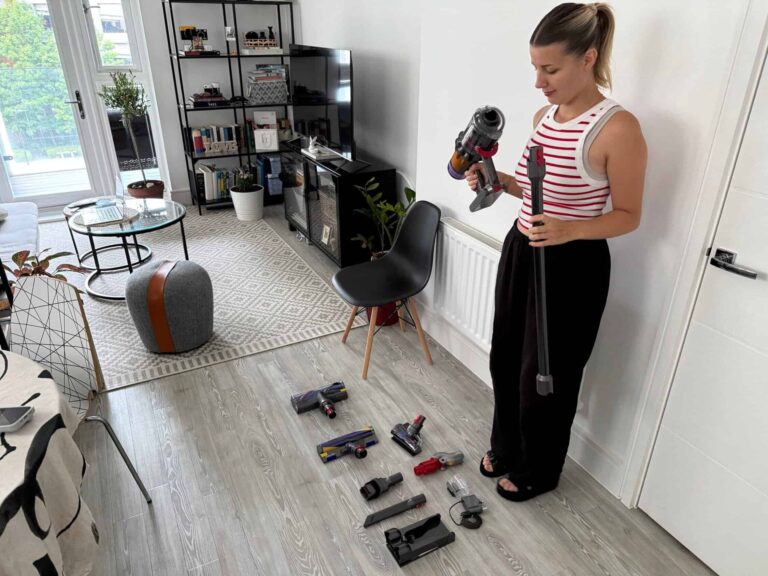
Matching the video to the buying stage
A tech buyer moves through stages, and a video that is perfect for one is weak at another. Plan a set of videos across the journey instead of one video that tries to do everything.
Length follows stage. Discovery videos usually want their point made in the first three seconds and their proof in the next ten. Consideration and decision videos can run 45 or 60 seconds, or longer on YouTube, because the viewer is actively looking for detail. Decide the stage first and the length almost decides itself.
Every stage benefits from more than one opening. Two or three different first lines on the same video let your advert account tell you which problem resonates most, which is valuable information for the next brief as well as the current campaign.
Watch unboxing and product videos we have made
We are filming our first tech clients now, so the tech and electronics work page fills as that work is delivered. Until then, these unboxing videos show the same standard. Tap a video to play it; nothing loads from YouTube until you do.



Filming tech well: screens, sound and detail
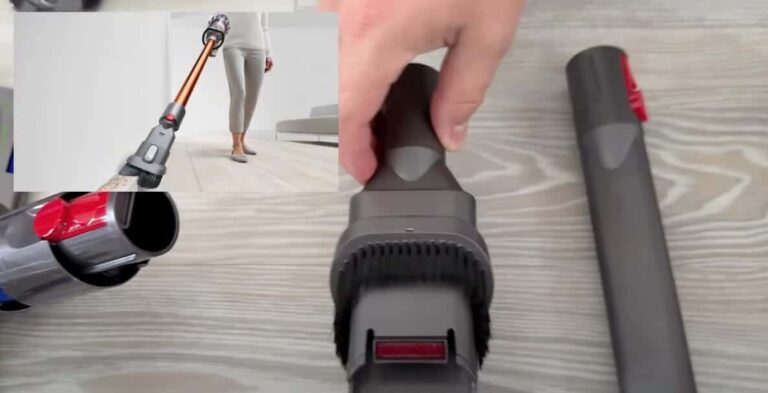
Tech is one of the hardest categories to film well. The things that matter are often small, shiny, glowing or invisible, and the usual tricks of lifestyle video do not always help. These are the craft points that decide whether a tech video looks trustworthy.
Captions matter more in tech than almost anywhere, because many viewers watch with the sound off and tech names are easy to mishear. Put model names, key numbers and compatibility on screen, in plain words, set high enough to clear the platform's buttons.
The UK rules that matter for tech video
Tech adverts in the UK, including creator style videos you pay for and run, fall under the CAP Code, enforced by the Advertising Standards Authority, and under consumer protection law, enforced by the Competition and Markets Authority. Five areas matter most for tech.
- Demonstrations must be representativeIn June 2024 the ASA ruled against a dash cam advert whose night time image of a motorway, with clearly readable number plates, was a stock photo with legible plates added rather than footage from the product. The ASA found it exaggerated what the cameras could capture (Osborne Clarke, the Next Base ruling). For creator video the lesson is simple: what is shown as the product's output must be the product's real output, in conditions the viewer would expect.
- Comparisons have their own testsA comparison with an identifiable competitor, even one you do not name, must compare products that meet the same need, on features that are material, relevant, verifiable and representative, and the viewer must be able to check the basis of the claim (ASA, a quick guide to comparative advertising). "Faster than the leading brand" is a comparison with all of them. That is why our tech videos compare a device with what the buyer had before, not with a named rival.
- Security claims and connected devicesSince 29 April 2024, consumer connectable products sold in the UK must not use default or easily guessed passwords, must publish how to report security issues, and must publish the minimum period for which security updates will be provided (GOV.UK, consumer connectable product security). A video should never imply a device is "secure" or "updated for life" beyond what you have published.
- The total price, from the startUnder the Digital Markets, Competition and Consumers Act 2024 the CMA can now fine businesses directly. In July 2026 Osborne Clarke reported that an electrical retailer, Marks Electrical, was fined £720,000 over pre-selected extra charges, and that the CMA expects the total price to be clear to consumers from the outset (Osborne Clarke, the CMA's first fines). If a feature needs a subscription or an accessory, the video should not hide it.
- Labels and reviewsIf a video runs from a creator's own account, it must be clearly labelled as an advert from the first moment, as the ASA and CMA influencers' guide sets out. And a commissioned video is brand content: presenting it, or a quote from it, as an independent customer review has been a banned practice since 6 April 2025 (CMA, fake reviews guidance).
Battery life, range, speed and similar performance figures deserve a special mention. They are the numbers buyers care about most and the ones most likely to vary with use. If a video states a figure, it should be your tested figure, with the conditions that produced it available, and the footage should not suggest more.
This is how we handle it on every tech order. We script only from claims you have approved, we show the features you name in use, and we make content; we do not test products, so the specifications, safety and claims of your product remain yours as the advertiser. None of this is legal advice, and if a claim is new or bold, check it with the ASA's free copy advice service or your own adviser before it runs. Our guide to ASA and CAP Code rules for social media covers the wider rules.
How to brief a tech UGC video
Tech briefs fail in two ways: they list every specification and hope the video sorts it out, or they say "make it fun" and leave out the details that matter. These seven parts avoid both.
- The one feature that sells itRank the features by what wins sales, and give the video one, or at most two, to prove. Everything else can be on the product page.
- Who it is for, and what they have nowThe customer, their current set up and their frustration. "Commuters with an older phone and wired earbuds" gives the video a starting point and a comparison with what they had.
- The specification sheet and approved claimsExact model names, version numbers, compatible devices and the performance figures you are happy to state, with the conditions behind them. We script only from these.
- The set up, as a new customer will meet itSend the product as a customer would receive it, on the firmware and app version they will get. For software, send a working login with the account set up the way a customer's would be.
- What not to showUnreleased features, beta settings, accessories sold separately, or anything under embargo. Say so in the brief, not after filming.
- Where it will runDiscovery adverts, a product page, YouTube or a support page each need different lengths and openings. One brief can produce several cuts if it says so at the start.
- The toneCalm and practical, enthusiastic first impressions, or a clear how to. Send two or three videos you admire and say what you like about each.
What you leave out matters too. A line by line script makes a demonstration sound like a manual. Direct what to show and in what order, approve the claims, and let the words be the person's own. For the wider process, our guide to finding and briefing UGC creators in the UK goes further, and if your product is software, our guide to UGC for SaaS covers screen recording and app walkthroughs in depth.
Who is on camera for tech
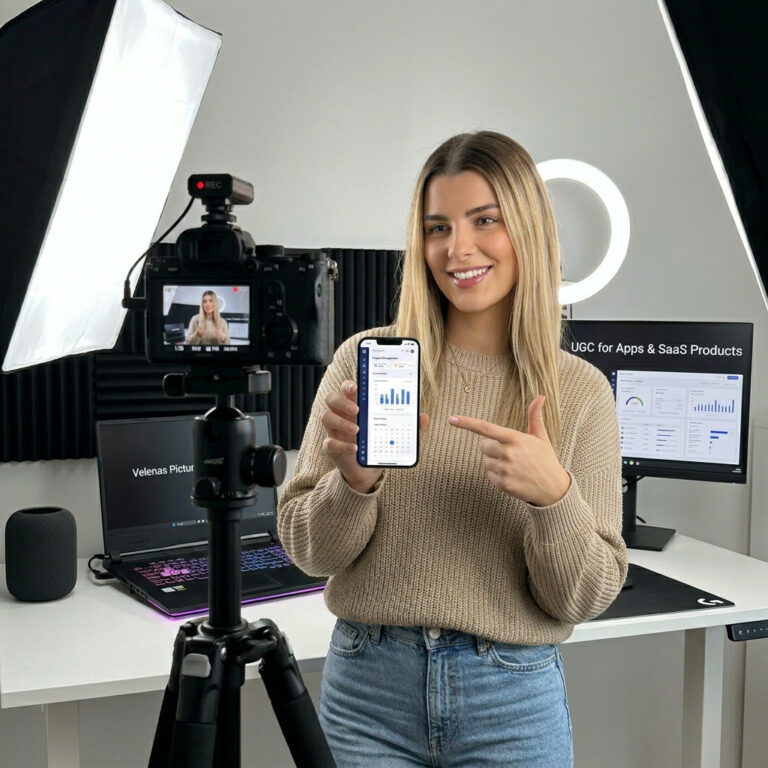
Tech audiences have a reputation for wanting experts, and for some products that is right: a high end camera or a gaming rig is often bought on the word of a specialist reviewer. But much of consumer tech is bought by people who just want the thing to work, and for them an everyday user is more convincing than an expert.
Here is how that works with us, plainly. Our team makes every video in house, and the people on camera are Velena and Dragos. You choose who is on camera: Velena, Dragos, both, nobody (a voiceover with hands and screens only), or no preference. The price is the same whichever you choose. We film as everyday users, not as specialist reviewers, which suits most consumer tech; if your product needs an expert's verdict, a specialist reviewer may serve that part of your plan better.
Tech UGC on product pages and in support
Paid adverts are the obvious home for tech UGC, but two other places often do more work for less money.
- The product pageA short set up or feature video near the add to basket button answers the questions that stop people buying. It is also where the YouGov finding matters most: buyers who read reviews are already on the page, looking for proof.
- Comparison and range pagesIf you sell several models, a short video for each showing the difference that matters, "this one has the bigger battery, here is what that means in a day", helps buyers choose rather than leave.
- Support and onboardingSet up and how to videos placed in order confirmation emails, in the box via a QR code, and on support pages can answer questions before they become calls, complaints or returns. Every one of our packages includes rights to use the video on your own channels and product pages.
- Retailer listingsSome retailers accept brand video on their product listings. Check each retailer's rules on length, format and claims before you brief, because a video made for TikTok may not suit a retailer's page.
Keep commissioned video clearly as brand content wherever it appears. The reviews section belongs to customers.

What tech UGC costs in the UK
Tech video costs a little more than simple product video in most markets, because it takes more care: the set up has to be filmed properly, the screens have to be clean and the claims have to be exact.
Our UK UGC rates report 2026 puts the working rate for one video from an established UK creator at £150 to £350 with organic rights only, with creators who can show advert results charging more. It notes that public rate cards price software and apps higher than simple consumer products, and that paid advert rights typically add 30 to 50 percent for 12 months. For a global reference, Collabstr's 2026 report, based on more than 21,000 collaborations on its platform, found brands paid an average of 197 US dollars per UGC collaboration in 2025 (Collabstr, 2026 influencer marketing report), usually without scripting, extra openings or advert rights.
Three things move a tech quote most.
- Advert rightsA video for your own channels costs less than one licensed for paid adverts. If there is any chance you will run it as an advert, buy the rights up front.
- ComplexityA single gadget unboxing is quick. A smart home set up across several devices, or an app with a long onboarding, takes longer to film and edit.
- The product itselfTech products are expensive to send and often not returned. Agree in writing before you post it whether you want the device back; ours stays with us as a used product unless we agree otherwise first.
For a figure for your own brief, our free UGC rate calculator applies the same bands, and our guide to UGC rates in the UK explains what moves a quote.
Common mistakes tech brands make with UGC
How to measure tech UGC
Tech buyers take longer to decide than most, so measure over a longer window and look beyond the first click.
- Hook rate and click rateWhether the opening names a problem the right people have. A weak number usually means the wrong problem, not the wrong product.
- View through on longer videosFor consideration and set up videos, how far people watch tells you whether the detail is useful. A steep drop at one point shows where the video loses them.
- Return on ad spend over a longer windowTech purchases often follow several visits. Judge a video's return over a longer attribution window than you would use for an impulse product.
- Product page conversionCompare the page with video and without, over the same period.
- Returns and support questionsThe measure most brands forget. If set up videos are doing their job, questions about set up and compatibility should fall.
Model the payback with our free social media ROI calculator, and review results monthly so the next brief goes out before the current videos tire.

How we make tech UGC
The people who plan your content are the people who film it, and you have one point of contact from the first brief to the last hand off. Every tech package includes the set up from the box and the features you name in the brief shown in use. The steps are short:
- OrderChoose a package and a length of 15, 30, 45 or 60 seconds.
- Brief and specificationSend your brief, specification sheet and approved claims. We reply within one business day, and on Standard and above we write the script for you to approve. Nothing is filmed until you approve it.
- Post your deviceSend it by tracked post to High Wycombe, Buckinghamshire, or a working login for software. The delivery time counts from the day it arrives.
- Receive your videoThe finished files arrive in a shared folder, in 9:16, 4:5 and 1:1 on Standard.
Every package below is for one tech video, except the Bundle, which is three. Basic gives you organic rights for your own channels. Standard and above add 12 months of paid advert rights on Meta, TikTok and Google, and Premium adds the raw footage, a fourth format and adverts run from Velena's own Instagram handle.



Not sure which package fits? The UGC quiz names one in four questions, and the tech and electronics packages page compares all four side by side. For unboxing on its own, see our guide to unboxing video production in the UK, and once the videos are made, our social media management can plan, post and answer the comments they bring in.
Tech UGC: questions
What is UGC for tech brands?
Creator style video showing a real person unboxing, setting up and using a device or gadget, made for the brand to use on its channels, product pages and adverts. It answers what a product is like to own, not just what it does.
Which tech UGC videos work best?
Videos that answer practical questions: set up, compatibility, the one feature that matters and daily use. Match the video to the buying stage, short problem led videos for discovery and longer walkthroughs and set up videos closer to purchase.
Can a tech video compare my product with a competitor?
Only within the comparative advertising rules: like for like products, material and verifiable features, and a basis the viewer can check. Even an unnamed "leading brand" counts. We compare with what the buyer had before instead of naming rivals.
Can we show screen footage in the video?
Yes, as long as it is what a customer will see on the real product. Clean screen recordings cut with footage of the person using the device are clearer and more honest than filming a screen at an angle. Mock ups shown as real output mislead.
Do UK security rules affect tech videos?
For connected devices, yes indirectly. Since 29 April 2024 they must meet security requirements, including published security update periods. A video should not claim more about security or updates than you have published.
What if a feature needs a subscription?
Show it as such. The total price should be clear from the start, and the CMA can now fine businesses directly for hidden or pre-selected extras.
Who appears in your tech videos?
You choose: Velena, Dragos, both, nobody with a voiceover, or no preference, at the same price. We film as everyday users rather than specialist reviewers, which suits most consumer tech.
Do I get my device back?
Only if we agree that in writing before you send it. Otherwise it stays with us as a used product.
How much does tech UGC cost?
Our UK rates report puts an established creator at £150 to £350 a video with organic rights. Our tech videos start from £165 for Basic, £245 for Standard and £375 for Premium, with a Bundle of three from £635.
Can you film software or apps?
Yes, with a working login set up the way a customer's account would be. Our apps and SaaS range is built for that, and our guide to UGC for SaaS covers it in depth.
Is the video made with AI?
No. A real person is in front of the camera and behind it, using the real device.
- YouGov, how global consumers research before buying a phone (2023)
- YouGov, consumers are more likely to use online reviews for electronics (2024)
- DataReportal, Digital 2026: The United Kingdom
- Wyzowl, video marketing statistics 2026
- Osborne Clarke, the Next Base "enhanced night vision" ruling
- ASA, a quick guide to comparative advertising
- GOV.UK, regulations: consumer connectable product security
- Osborne Clarke, the CMA issues its first fines under its new direct enforcement powers
- ASA and CMA, influencers' guide
- CMA, fake reviews guidance (CMA208)
- Collabstr, 2026 influencer marketing report
A question this article did not answer? Ask our team, and a person will reply.